
Get the Link from Spotify
Navigate to Spotify, open the track, album, or playlist you'd like to keep, and click Share → Copy Link. Tip: Don't copy the link from the browser address bar - MusicFab may not function correctly.
Turn Spotify music into offline MP3 files instantly with free online play. Use our Spotify to MP3 converter online free in any browser — no sign-up, no login, no limits.
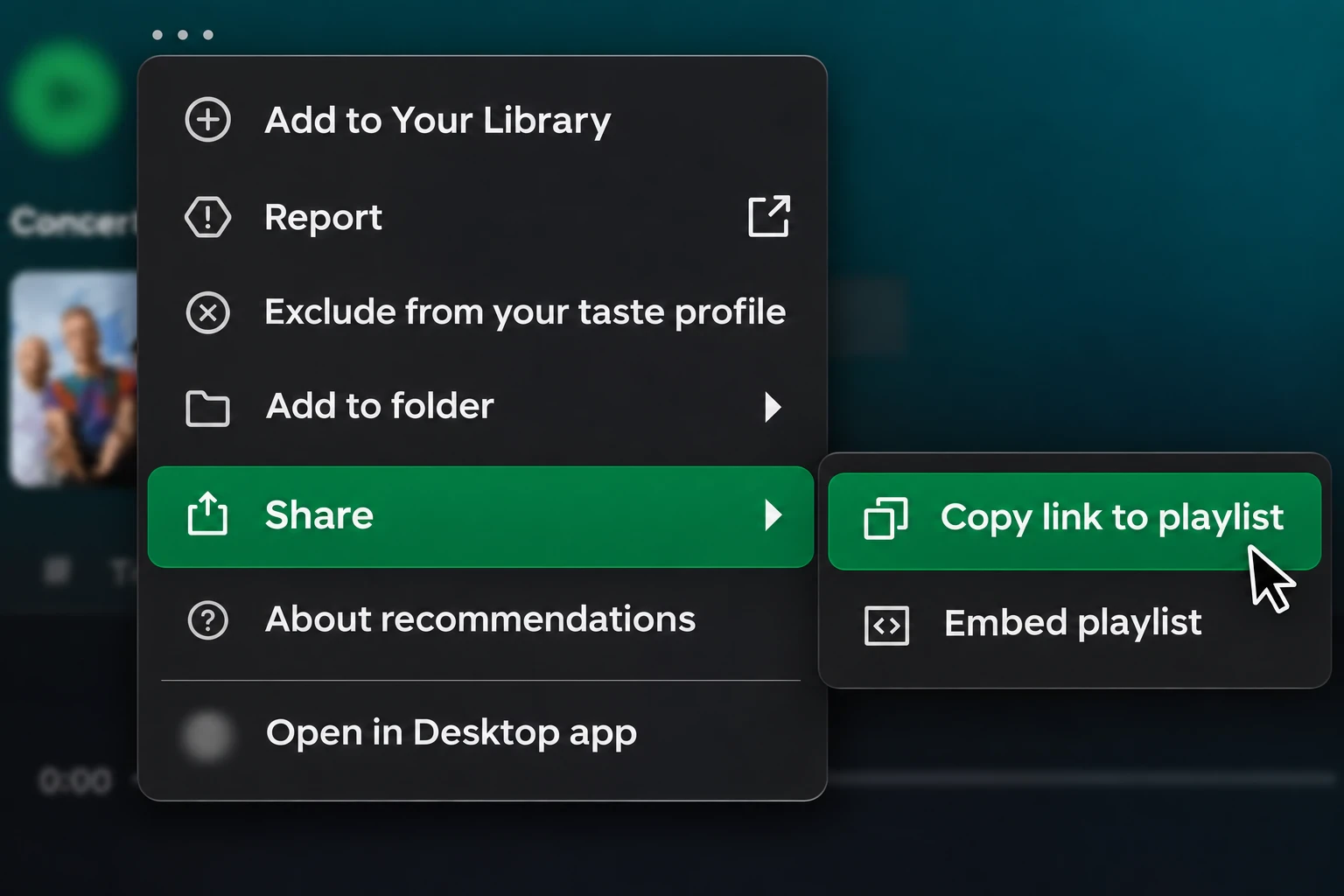
Navigate to Spotify, open the track, album, or playlist you'd like to keep, and click Share → Copy Link. Tip: Don't copy the link from the browser address bar - MusicFab may not function correctly.
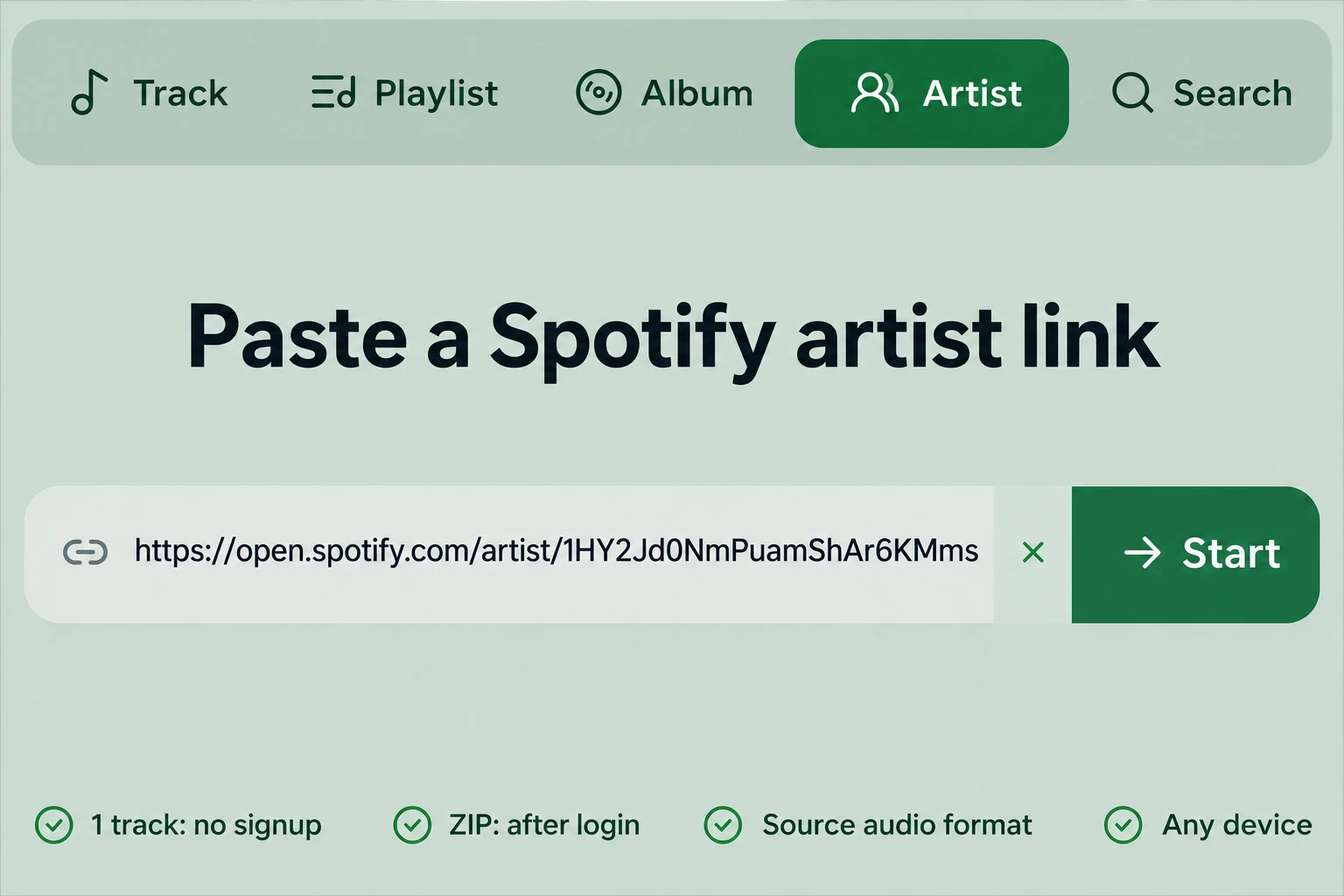
Open MusicFab in your browser. Paste the copied link into the input box, then hit Start Conversion and the tool will begin converting Spotify link to MP3 for you.
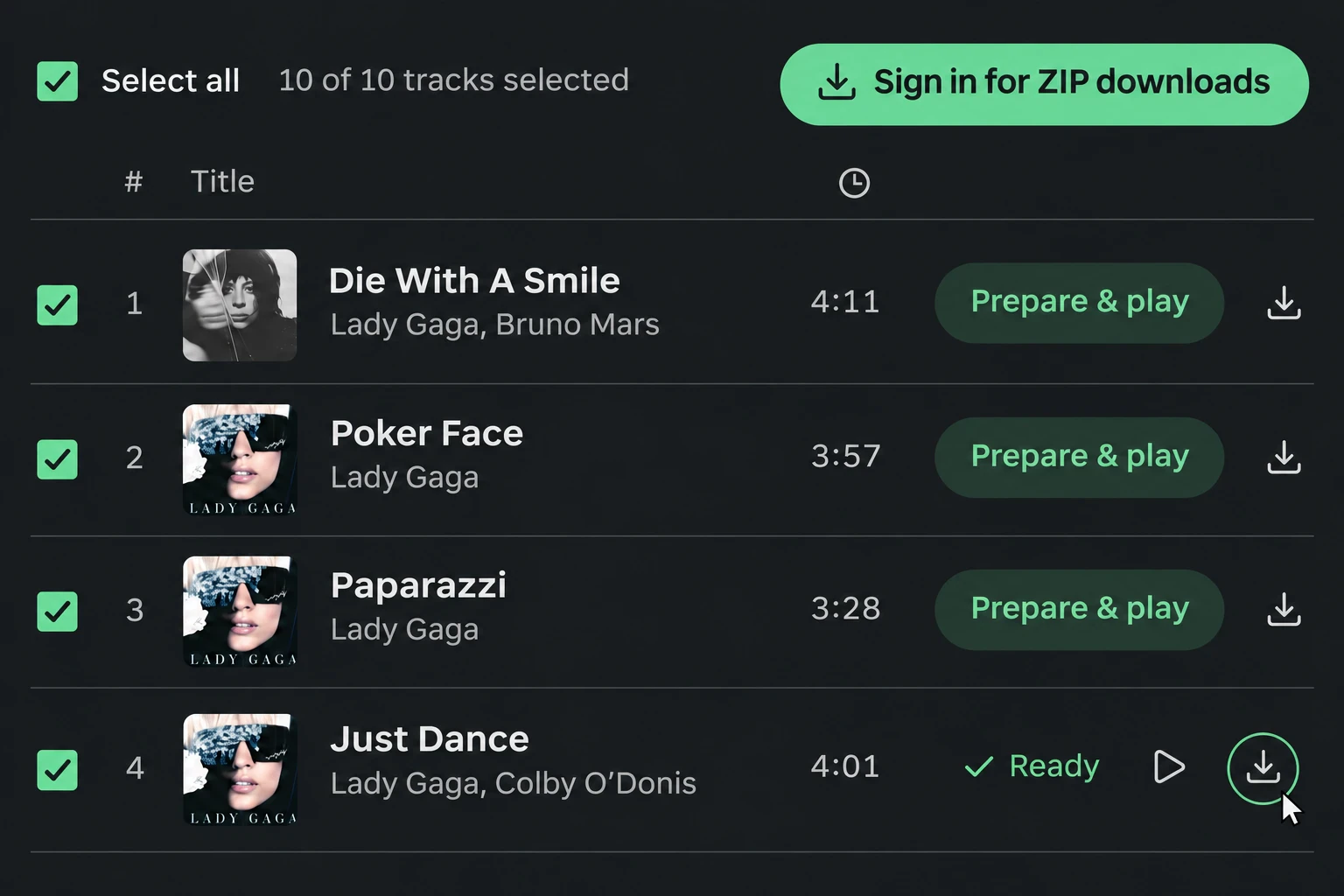
The tool will quickly analyze your link. You can then download the converted Spotify song or playlist offline as MP3 files, plus enjoy free online play before downloading. Tip: If converting multiple songs at once, your files will be packed in a ZIP archive for convenience.
Go to Spotify, find the playlist you wish to download, click on the "3 dots" button, then select "Share" and hit the "Copy Playlist Link" button.
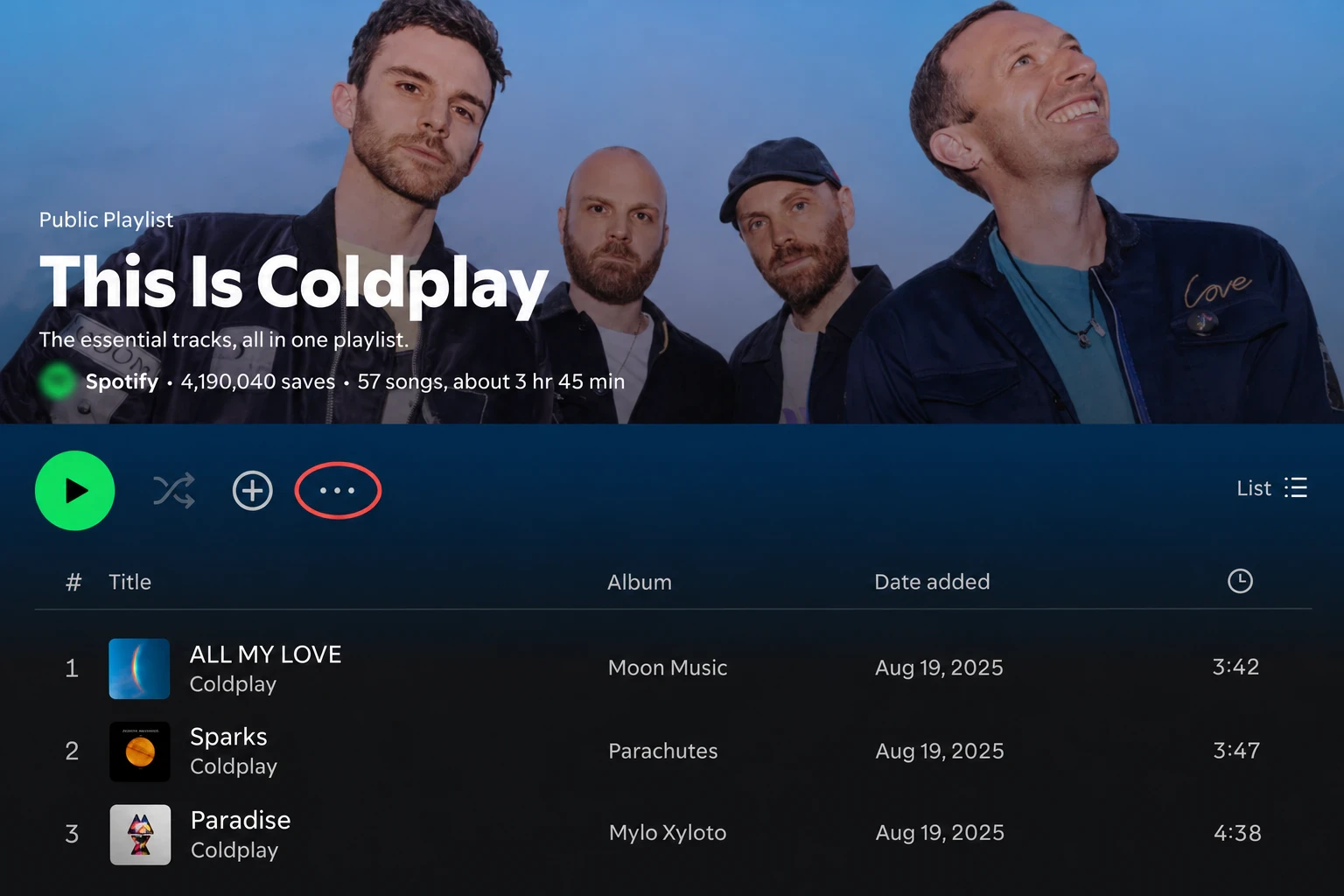
Open the track/playlist on Spotify
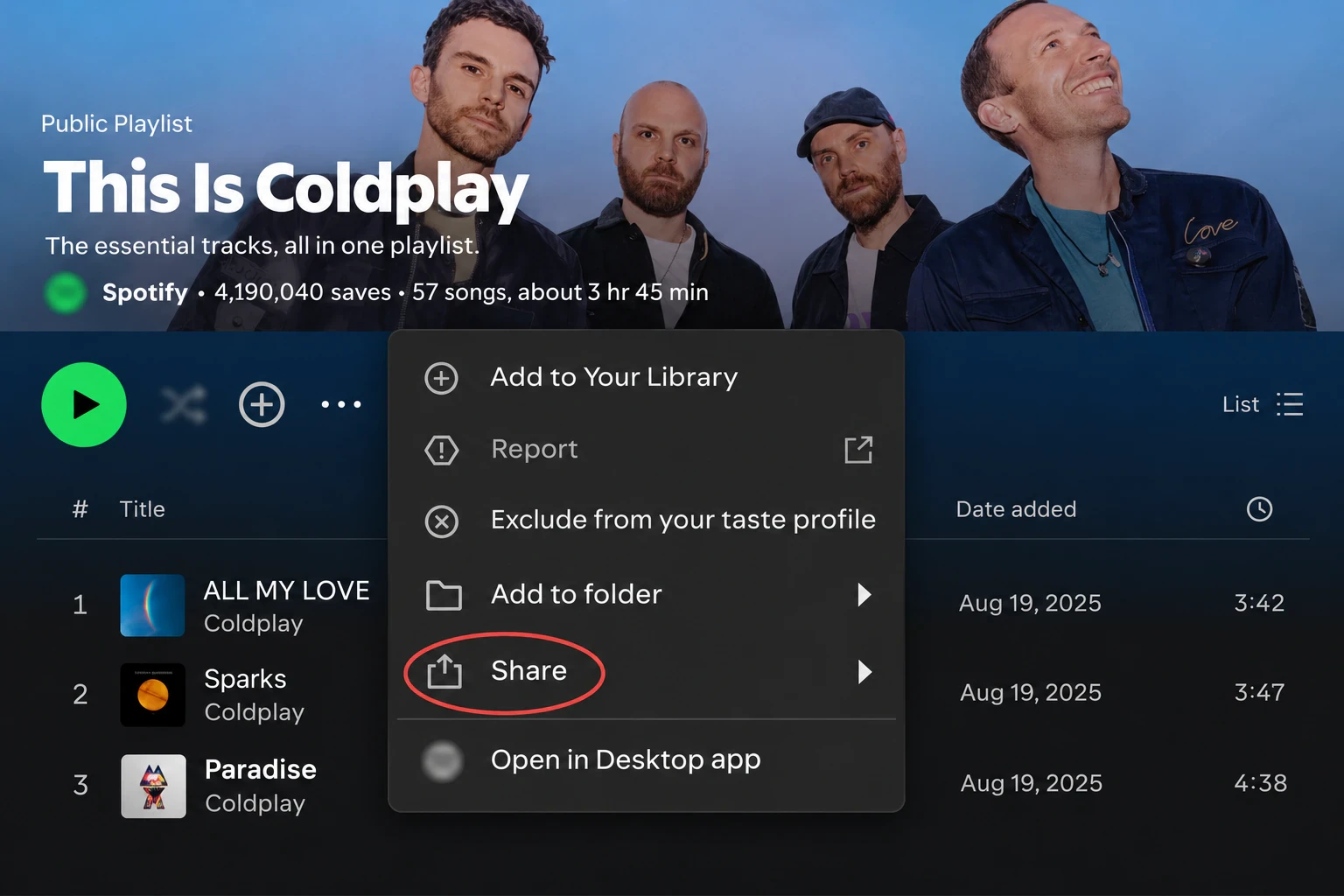
Click the ⋯ menu → Share
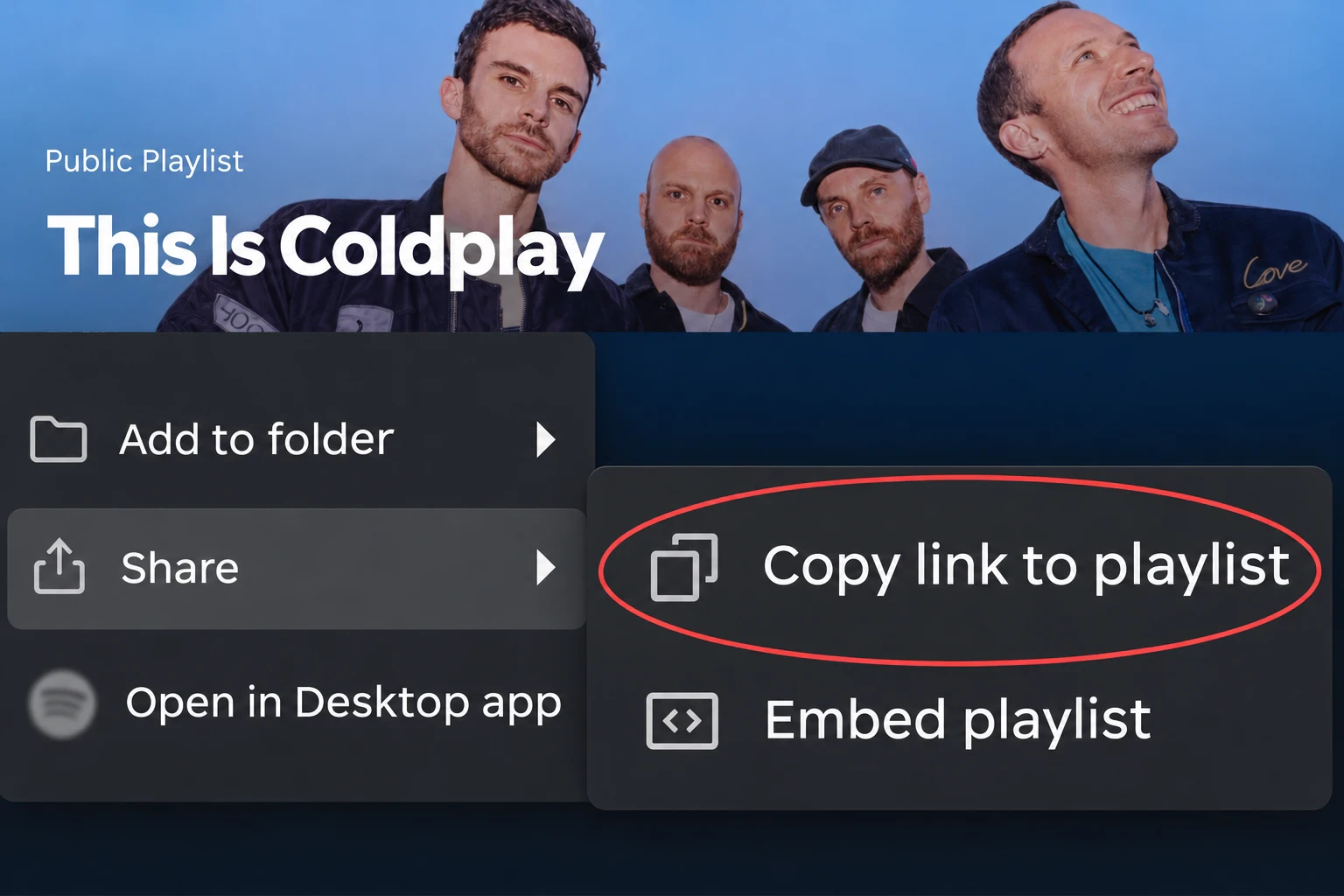
Hit "Copy Playlist Link"
Open Spotify app and find the playlist you want to download, tap on the "3 dots" icon, select "Share", and then tap on "Copy Link".
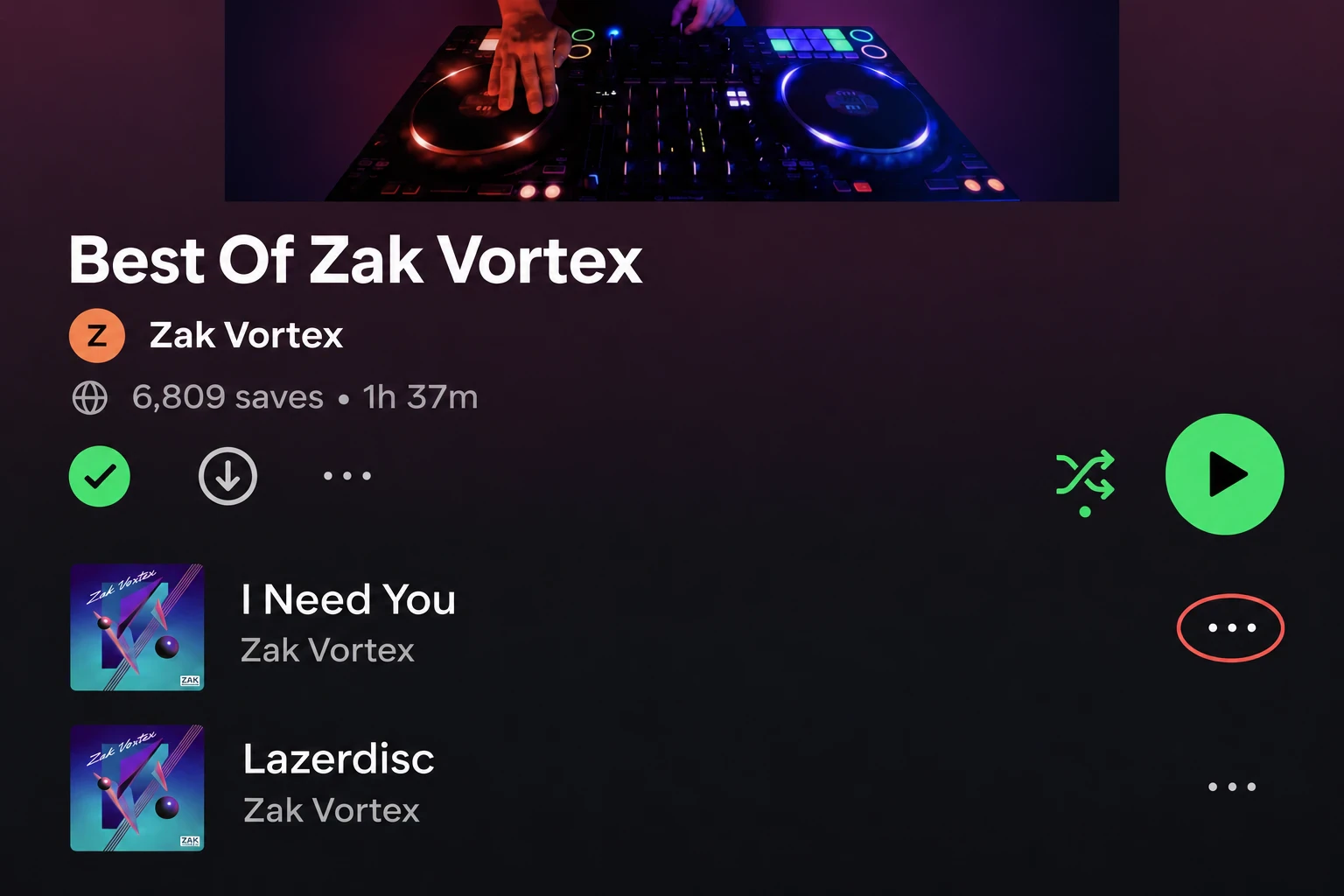
Tap the ⋯ menu on the track
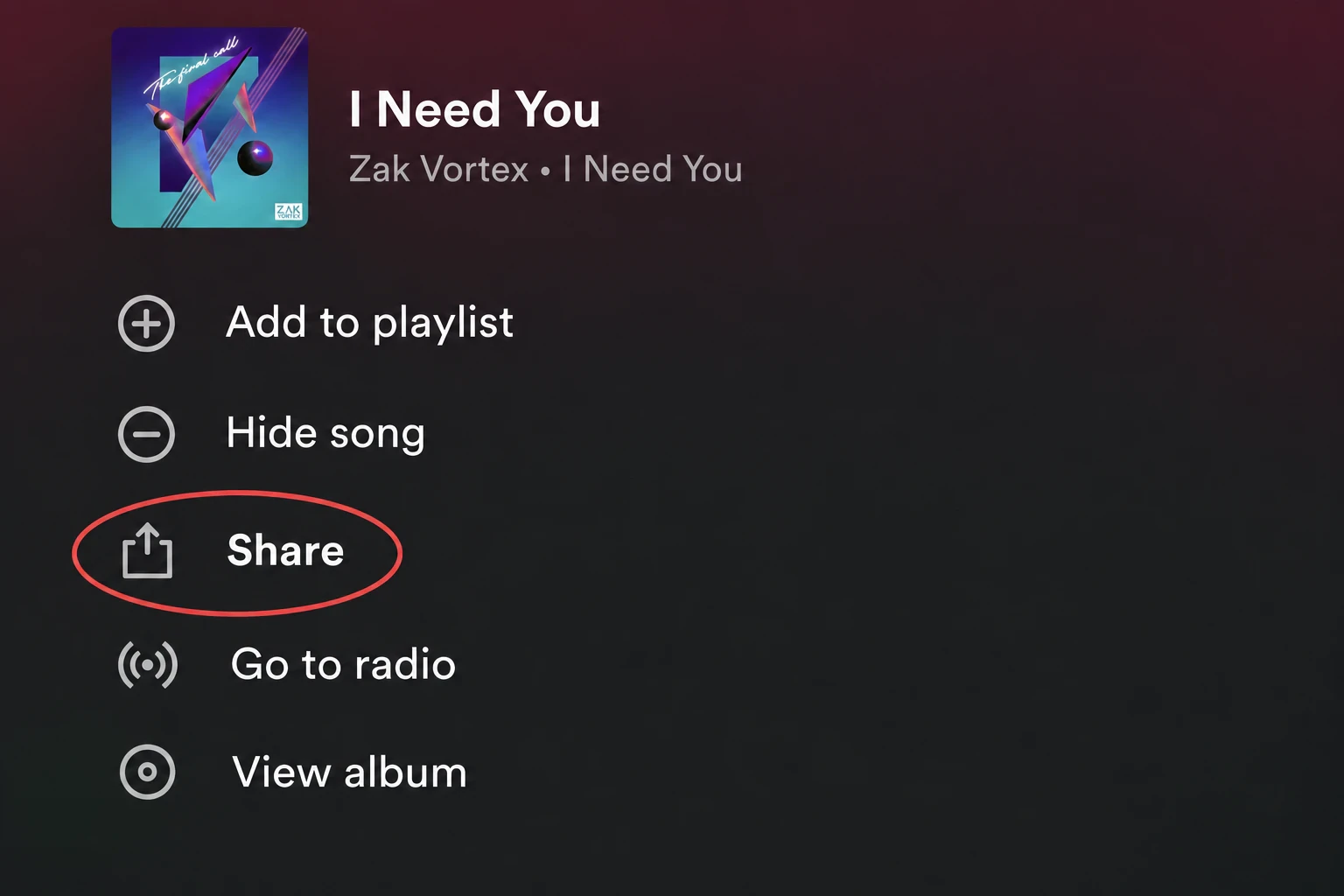
Select Share
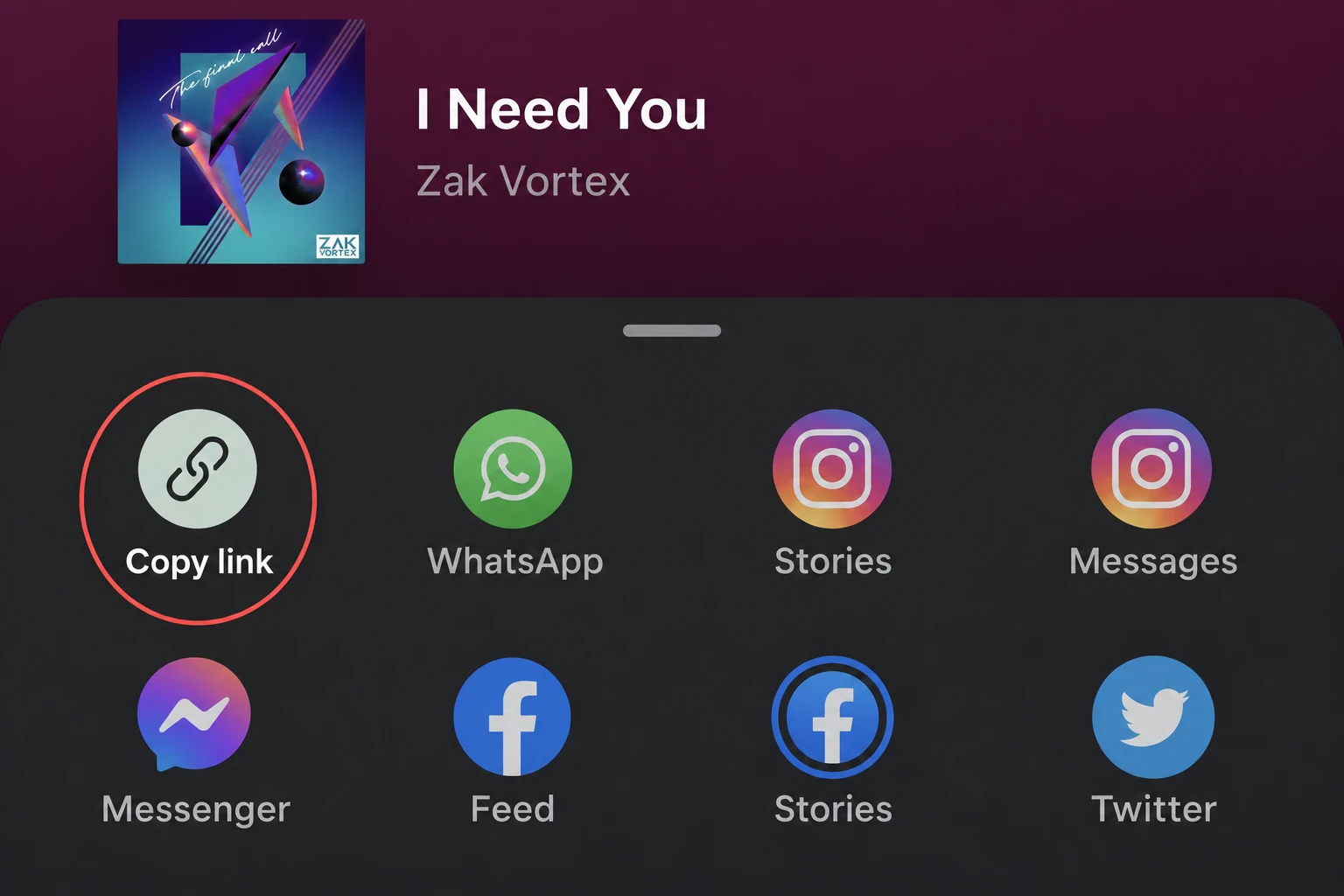
Tap Copy Link
Experience the ultimate MusicFab Spotify music converter that transforms how you enjoy your favorite tracks. Our advanced technology delivers professional-grade results with unmatched convenience.
Convert your favorite Spotify tracks quickly and effortlessly. Simply copy the song link, paste it into our converter, and let MusicFab do the rest.
Enjoy music in high definition with our converter, which maintains audio fidelity at 128kbps MP3 to preserve the quality of your tracks.
Download MP3 files for offline playback in your preferred music player.
Powered by cutting-edge technology for lightning-fast conversion speeds and reliable results every time.
Convert Spotify music in your browser, with no installation or Spotify Premium subscription required.
Convert tracks without subscription fees or hidden costs. Start instantly as a guest, or sign up free to unlock more conversions and saved history.
Every feature works on Free, Family, Student, or no Spotify account at all — download first, decide later.
Runs in any modern browser on Windows, macOS, Linux, iOS, and Android — and your MP3 files play on any MP3 player, car stereo, or portable device. No app to install, ever.
Distributed processing servers turn most single tracks around in under 10 seconds, even during peak hours.
Convert using a Spotify link without sharing your Spotify password.
No daily cap, no throttle, no watermark. Convert a single song or an entire 500-track playlist back-to-back.
To guarantee a superior Spotify music conversion experience, MusicFab delivers enhanced performance and user-friendly features that set us apart from the competition.

Use it directly on Chrome, Safari, Firefox, or Edge. There's nothing to install, so it works smoothly across PCs, tablets, and smartphones. No matter when and what devices you are using, access MusicFab and you can download Spotify songs as local files instantly.
Start converting Spotify music for free — no credit card required. Sign up for a free account to unlock higher limits and conversion history. Upgrade anytime for unlimited access.
Convert using a Spotify link without sharing your Spotify password.
MusicFab uses acceleration technologies to speed up the conversion performance, which can help process both single tracks and large playlists in seconds, making it one of the fastest Spotify downloaders online.
Although MusicFab doesn't provide customized options to determine output quality by yourself, it will maintain good audio effect (at normal 128kbps) to download Spotify songs and playlists in MP3, ensuring good audio fidelity while keeping file sizes manageable.
From a single hit song to full albums or curated playlists, even podcasts - the downloader handles them all. You can use MusicFab to download almost all types of Spotify content offline conveniently.
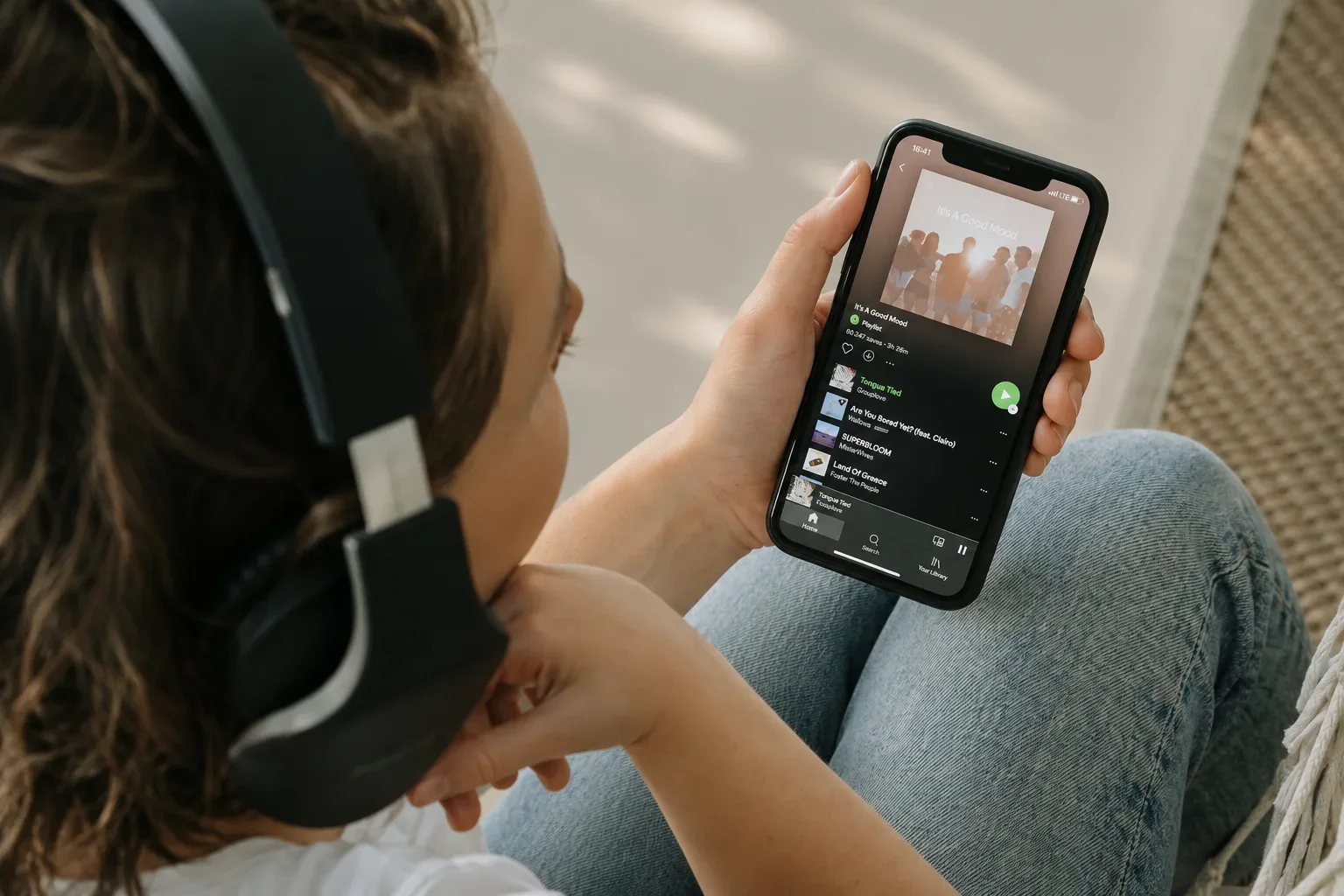
Spotify lets Premium subscribers save songs for offline listening, but those tracks remain encrypted inside the app. Once you cancel your subscription, your saved songs disappear - and you can't transfer them to another device or player.
However, music lovers often want an easier way to keep playlists for road trips, workouts, flights, or simply to build a personal offline collection with free online playback. That's why many people look for an online Spotify converter.
With MusicFab, you're no longer held back by these limitations. This free online converter allows you to convert and play Spotify songs to MP3 directly in your browser, no Premium plan required. Every track is saved in 128kbps MP3 format so you can enjoy smooth playback anywhere, anytime.
Get answers to the most common questions about our Spotify to MP3 converter
MusicFab is free to use — no credit card required. Guest users can convert tracks right away. Sign up for a free account to unlock higher limits and keep your conversion history. Paid plans with unlimited access are coming soon.
No — MusicFab runs entirely in your browser on Windows, macOS, Linux, iOS, and Android. Nothing to download, no extensions to enable, and no admin rights needed. Just paste your Spotify link and start converting in seconds.
Paste a Spotify link to start converting in your browser.